> For the complete documentation index, see [llms.txt](https://docs.maplytics.com/llms.txt). Markdown versions of documentation pages are available by appending `.md` to page URLs; this page is available as [Markdown](https://docs.maplytics.com/maplytics/azure-maps-google-maps-mapbox/features/maplytics-tablet-mobile/detail-map/routing-tablet-mobile.md).
# Routing – Tablet / Mobile
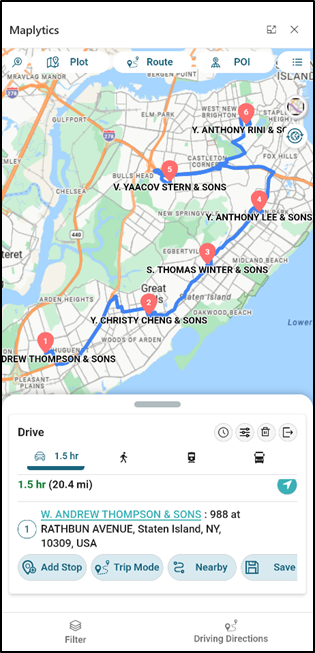
Another essential feature of Maplytics is Routing across multiple waypoints. Using the [Contextual Menu options](https://docs.maplytics.com/features/maplytics-tablet-mobile/detail-map/contextual-menu), the users can add multiple waypoints to their journey. At a given point in time, the users can add a maximum of 25 waypoints in direction.
Once multiple waypoints have been added, click on the Go button to bring up the Routing Screen shown below.